> ## Documentation Index
> Fetch the complete documentation index at: https://docs.droidoxy.com/llms.txt
> Use this file to discover all available pages before exploring further.
# Custom Videos Setup
> Extend the Pocket Script functionality to support the Watch & Earn feature.
Turn your website into an even more powerful platform by adding a Watch & Earn option.
This Addon requires Pocket GPT Script v4.1 and above to be installed beforehand.
 Designed to integrate seamlessly with your existing Pocket script Installation, this add-on brings the Watch & Earn option to your platform, making your users more engaged.
## Features
* Supports YouTube Videos
* Custom Reward per Video
* Minimum Watch Duration with Timer
* Video Pause and User Distraction Protection
* Additional Instructions Support
* Add Unlimited Videos
Make your platform to support Watch & Earn today!
## Admin Demo
Check out the Custom Videos Demo in the official Pocket Script Demo itself : [Admin Demo](https://pocket.droidoxy.com/admin/videos.php)
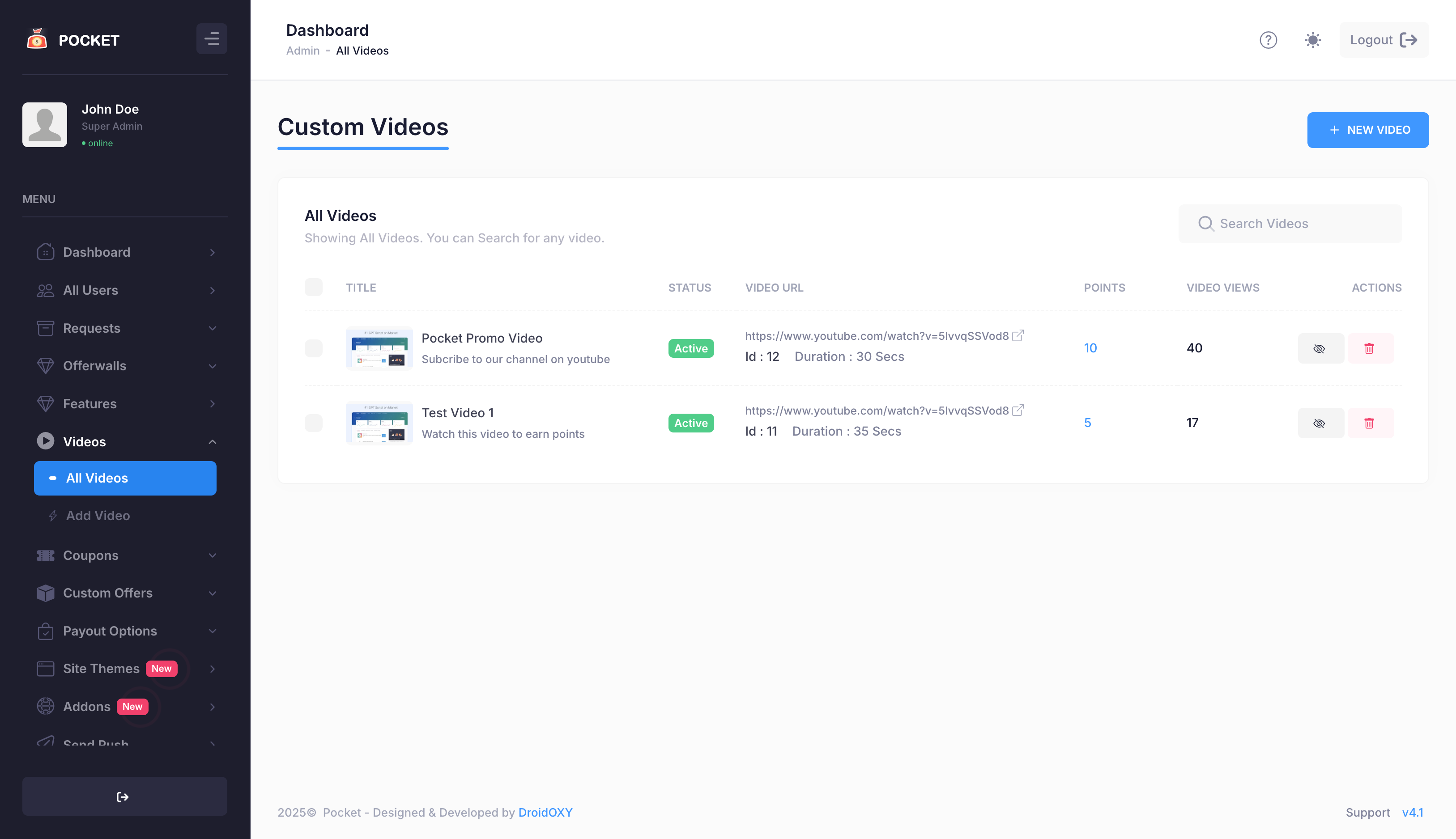
### All Videos
Designed to integrate seamlessly with your existing Pocket script Installation, this add-on brings the Watch & Earn option to your platform, making your users more engaged.
## Features
* Supports YouTube Videos
* Custom Reward per Video
* Minimum Watch Duration with Timer
* Video Pause and User Distraction Protection
* Additional Instructions Support
* Add Unlimited Videos
Make your platform to support Watch & Earn today!
## Admin Demo
Check out the Custom Videos Demo in the official Pocket Script Demo itself : [Admin Demo](https://pocket.droidoxy.com/admin/videos.php)
### All Videos
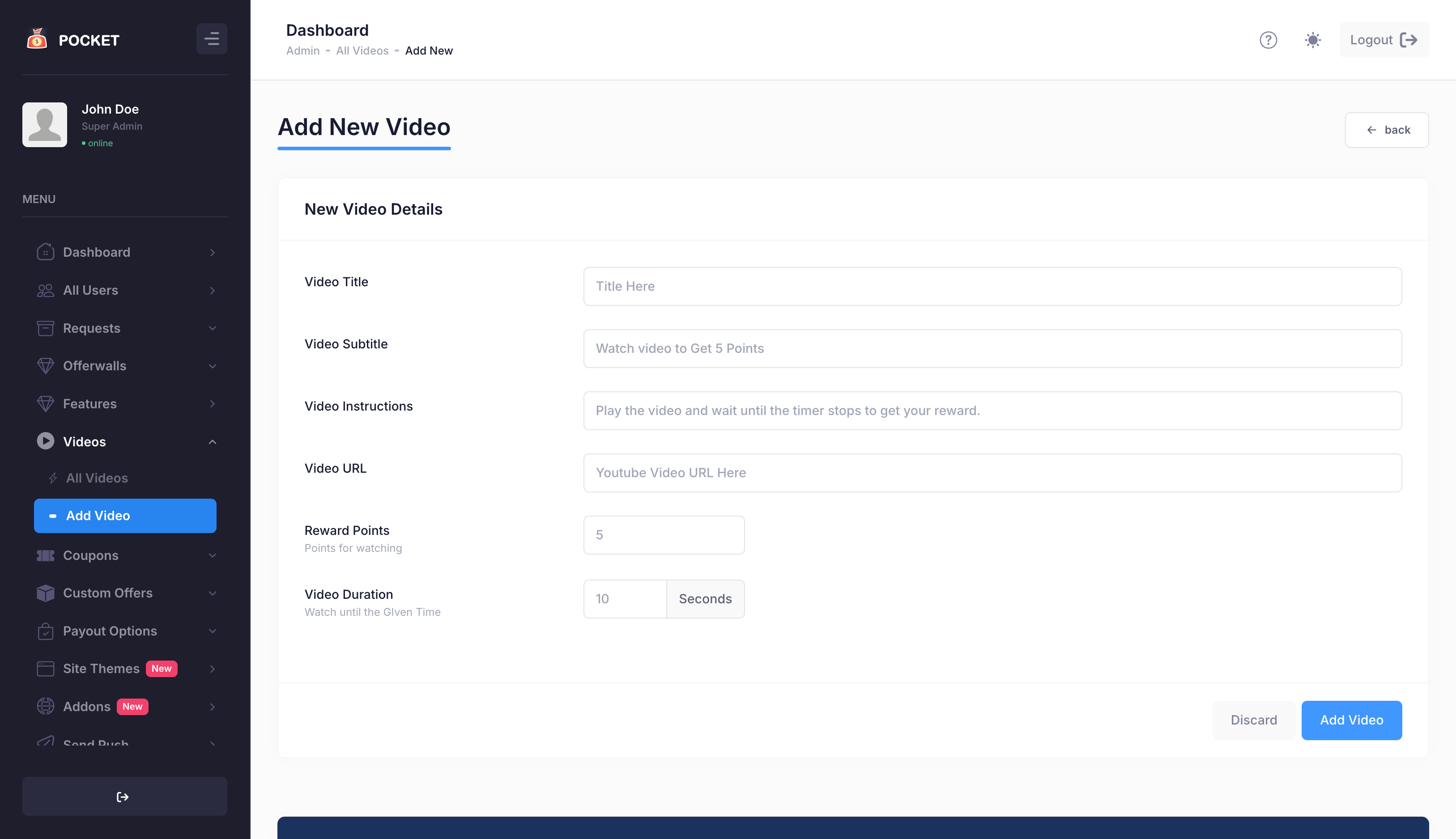
 ### Add Video
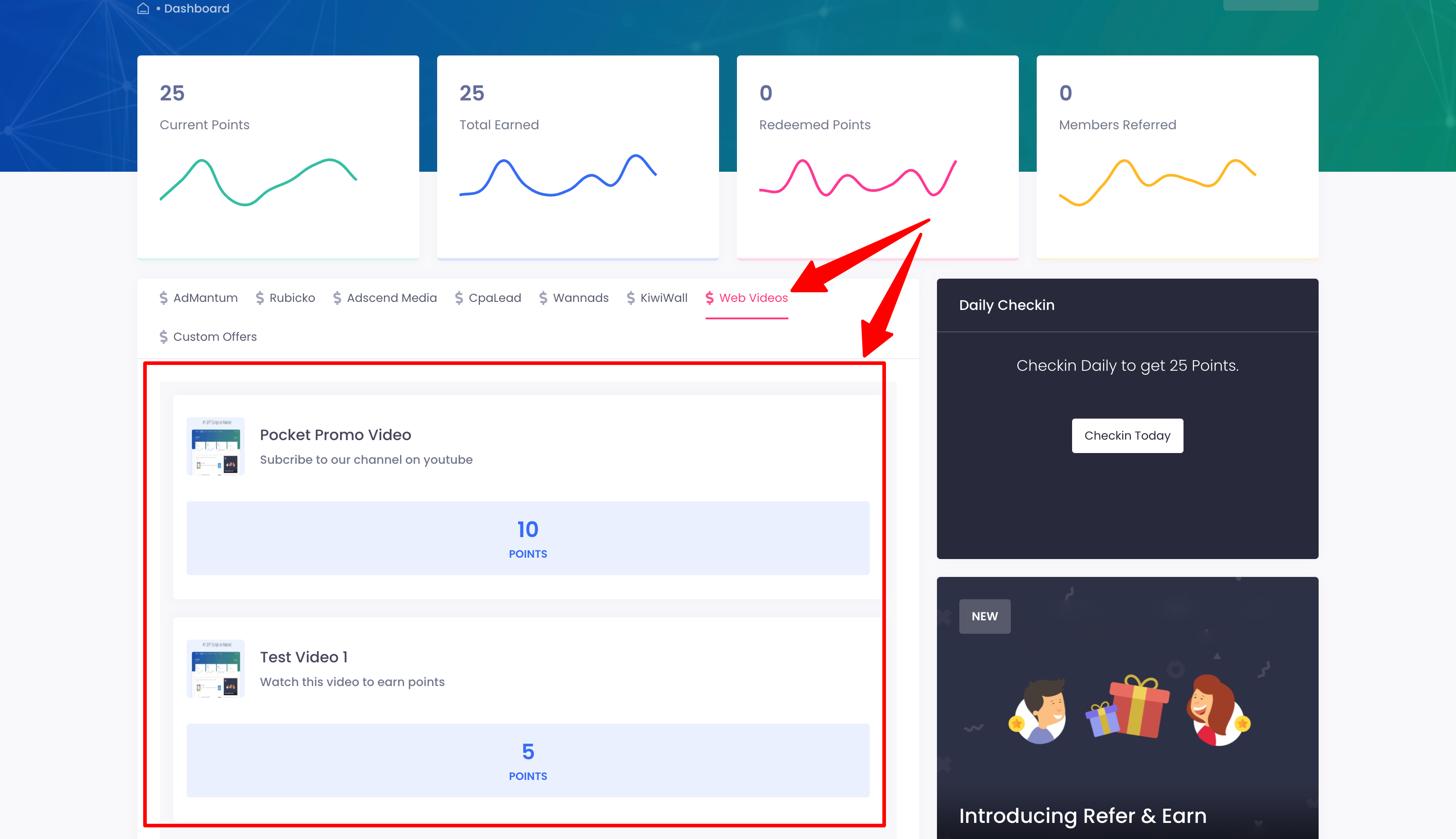
 ## User Demo
Check out the Custom Videos Demo in the official Pocket Script Demo itself: [User Demo](https://pocket.droidoxy.com/dashboard/index.php)
## User Demo
Check out the Custom Videos Demo in the official Pocket Script Demo itself: [User Demo](https://pocket.droidoxy.com/dashboard/index.php)
 ## Get Custom Videos Add-on
You can purchase a Custom Videos Add-on license from our official website : [Get Pocket – Custom Videos](https://www.droidoxy.com/item/custom-videos/)
## Installation and Setup
1. Go to `yourdomain.com/cpanel`
2. Enter your **username** and **password**
Alternatively, you can use an FTP client as well.
Locate the `oxy-web-videos.zip` file from the downloaded package
* Upload the contents of `oxy-web-videos.zip` inside the `admin -> addons` folder
Open your web browser and navigate to your Pocket Script admin dashboard.
* You'll be shown an alert to activate the addon
* Click the Activate Button on the alert to activate the addon
* Once Activated, navigate to the Videos Section on the Admin sidebar to access this addon's features
That's It!
## Need Help?
If you need any help or assistance, we're here for you! Please [reach out to our support team](https://droidoxy.com/support/)
## Get Custom Videos Add-on
You can purchase a Custom Videos Add-on license from our official website : [Get Pocket – Custom Videos](https://www.droidoxy.com/item/custom-videos/)
## Installation and Setup
1. Go to `yourdomain.com/cpanel`
2. Enter your **username** and **password**
Alternatively, you can use an FTP client as well.
Locate the `oxy-web-videos.zip` file from the downloaded package
* Upload the contents of `oxy-web-videos.zip` inside the `admin -> addons` folder
Open your web browser and navigate to your Pocket Script admin dashboard.
* You'll be shown an alert to activate the addon
* Click the Activate Button on the alert to activate the addon
* Once Activated, navigate to the Videos Section on the Admin sidebar to access this addon's features
That's It!
## Need Help?
If you need any help or assistance, we're here for you! Please [reach out to our support team](https://droidoxy.com/support/)