> ## Documentation Index
> Fetch the complete documentation index at: https://docs.droidoxy.com/llms.txt
> Use this file to discover all available pages before exploring further.
# Pocket IOS App
> It is easier than ever to go mobile. Just connect your backend, customize the look, and launch.
Turn your website into a powerful mobile experience with the Pocket IOS App. The IOS App works on top of the Pocket GPT Script.
Designed to integrate seamlessly with your existing Pocket script Installation, this app brings all the features of the Pocket user dashboard/web platform directly to users' fingertips—fast, responsive, and intuitive.
## Features
* Complete Source Code written in Swift 5
* Real-time sync with your Pocket Script
* Clean, mobile-friendly UI
* User login and authentication
* Dynamic content loading
* Secure data handling
* Push notifications
* Thirteen (13) color themes
* Share dialog
* Error handling
* Offline handling
* Support for high-resolution displays
* Easy configuration
* Well documented
Pocket IOS App makes it easier than ever to go mobile. Just connect your backend, customize the look, and launch.
🚀 Perfect for:
* Existing Businesses powered by Pocket Script
* Businesses looking to extend their web app to mobile
* Users who want faster access to features on the go
Make your platform portable—download today!
## Demo App
Check out the IOS App Demo:
## Get IOS App
You can purchase an IOS App license from our official website : [Get Pocket – IOS Rewards App](https://www.droidoxy.com/item/ios-rewards-app-pocket/)
## IOS App Setup
All the instructions on how to set up and reskin or customize the look of the App can be found on the [IOS Setup Guide](/ios/introduction)
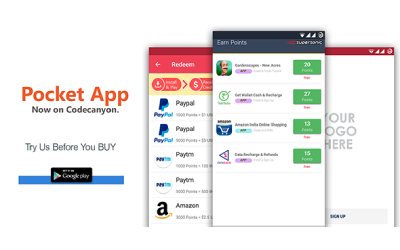 Designed to integrate seamlessly with your existing Pocket script Installation, this app brings all the features of the Pocket user dashboard/web platform directly to users' fingertips—fast, responsive, and intuitive.
## Features
* Complete Source Code written in Swift 5
* Real-time sync with your Pocket Script
* Clean, mobile-friendly UI
* User login and authentication
* Dynamic content loading
* Secure data handling
* Push notifications
* Thirteen (13) color themes
* Share dialog
* Error handling
* Offline handling
* Support for high-resolution displays
* Easy configuration
* Well documented
Pocket IOS App makes it easier than ever to go mobile. Just connect your backend, customize the look, and launch.
🚀 Perfect for:
* Existing Businesses powered by Pocket Script
* Businesses looking to extend their web app to mobile
* Users who want faster access to features on the go
Make your platform portable—download today!
## Demo App
Check out the IOS App Demo:
## Get IOS App
You can purchase an IOS App license from our official website : [Get Pocket – IOS Rewards App](https://www.droidoxy.com/item/ios-rewards-app-pocket/)
## IOS App Setup
All the instructions on how to set up and reskin or customize the look of the App can be found on the [IOS Setup Guide](/ios/introduction)
Designed to integrate seamlessly with your existing Pocket script Installation, this app brings all the features of the Pocket user dashboard/web platform directly to users' fingertips—fast, responsive, and intuitive.
## Features
* Complete Source Code written in Swift 5
* Real-time sync with your Pocket Script
* Clean, mobile-friendly UI
* User login and authentication
* Dynamic content loading
* Secure data handling
* Push notifications
* Thirteen (13) color themes
* Share dialog
* Error handling
* Offline handling
* Support for high-resolution displays
* Easy configuration
* Well documented
Pocket IOS App makes it easier than ever to go mobile. Just connect your backend, customize the look, and launch.
🚀 Perfect for:
* Existing Businesses powered by Pocket Script
* Businesses looking to extend their web app to mobile
* Users who want faster access to features on the go
Make your platform portable—download today!
## Demo App
Check out the IOS App Demo:
## Get IOS App
You can purchase an IOS App license from our official website : [Get Pocket – IOS Rewards App](https://www.droidoxy.com/item/ios-rewards-app-pocket/)
## IOS App Setup
All the instructions on how to set up and reskin or customize the look of the App can be found on the [IOS Setup Guide](/ios/introduction)