
Overview
Integrating Google as an identity provider offers your users a convenient and secure way to access your Pocket Script application. This feature leverages Google’s OAuth 2.0 protocol, ensuring a streamlined authentication process while maintaining high security standards.Before you begin, ensure you have admin access to your Pocket Script application and a Google account for setting up the OAuth integration.
Getting Google Client ID and Secret
- Go to https://console.developers.google.com/apis
-
Navigate to the
Credentialstab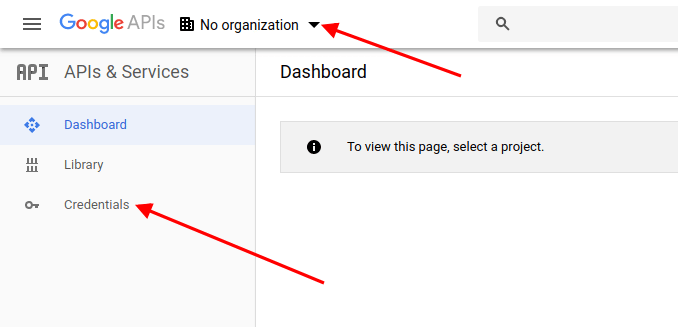
-
Click
Select a project --> New Projectand then click the buttonCreateOR if you’ve created a Firebase project while setting up the Pocket Android App, then you can select the existing project and skip to Step 6 -
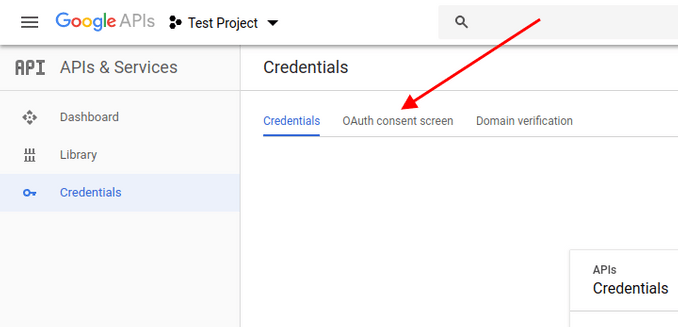
Navigate to the tab OAuth consent screen
-
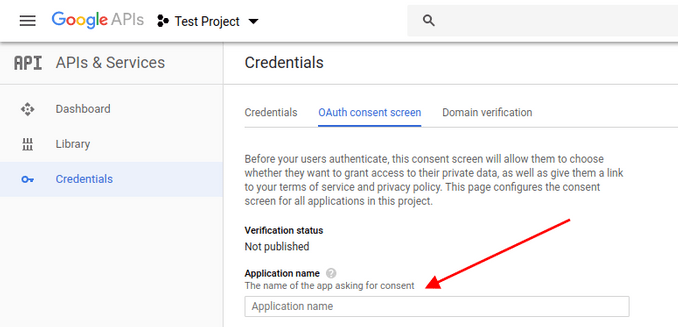
Enter the Application name, Authorized domains and click the button Save
-
Click the button
Create Credentialsand from the dropdown list selectOAuth client ID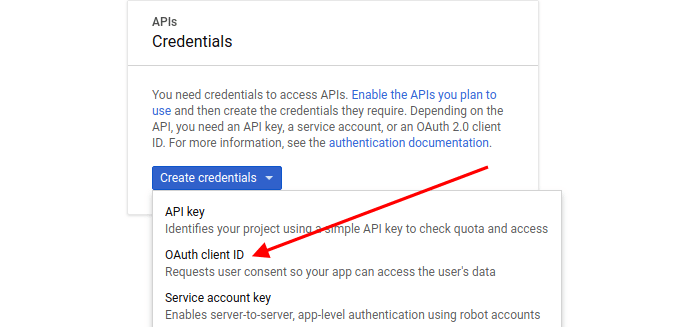
-
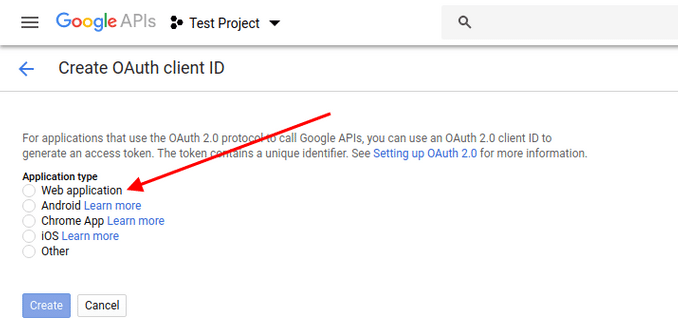
From the Application type, select the
Web application, enter Authorized JavaScript origins and click Create button-
Authorized JavaScript origins
- Whether you install the script in the main domain or a subfolder, the final URL here will be your main domain. Enter your URL as:
- In case of a subdomain, enter your URL as:
- Whether you install the script in the main domain or a subfolder, the final URL here will be your main domain. Enter your URL as:
-
Authorized redirect URIs
- For the main domain install at example.com, enter your URL as:
- For sub-domain install at subdomain.example.com, enter your URL as
- For subfolder install at example.com/subfolder, enter your URL as
- For the main domain install at example.com, enter your URL as:
-
Authorized JavaScript origins
-
Copy your
Client IDandSecret Key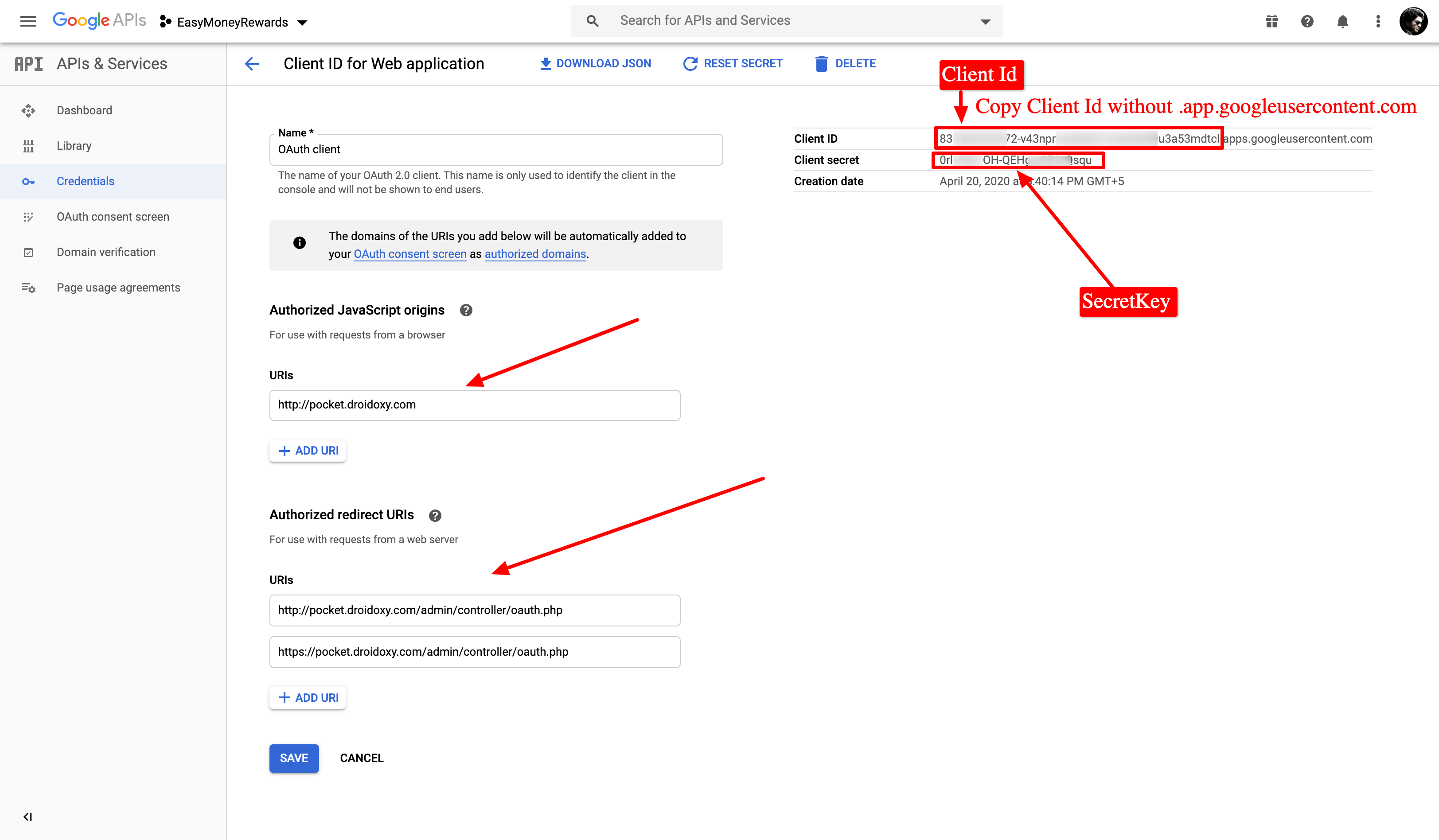
Final Steps
Paste the copied keys in your admin panel by following the steps below- Log in to your Admin Interface (Pocket script instance)
- Navigate to
Settings -> Configuration -> Web App Configurationfrom the admin sidebar - Scroll down to the
Social LoginSection - And paste the copied
Google Client IdandGoogle Secret Id